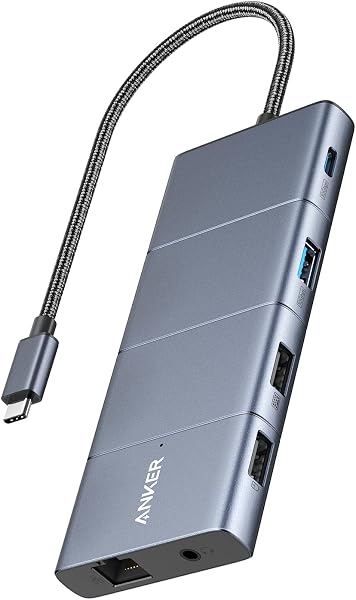
The HP USB-C Dock G5 may not reliably turn on your laptop.
- Users report that the power button on the HP USB-C Dock G5 does not turn on the connected laptop, even when the dock itself is powered.
- This HP USB-C Dock G5 only supplies up to 100W of power, which can be insufficient if the laptop requires a higher wattage for proper connection.
- This dock does not work with Thunderbolt.
While many users find the dock works well for connecting peripherals and displays, issues with the power button and Thunderbolt compatibility are reported. And one reviewer reports it doesn't work with Thunderbolt.

Who it suits
Works well if
- Connecting accessories and up to three displays via a single USB-C cable.
- Providing a single-cable solution to access devices and charge a PC.
- Working with HP and non-HP USB-C-enabled laptops.
Think twice if
- Reliably turning on laptops using the dock's power button.
- Working with Thunderbolt-enabled devices, according to one reviewer.
- Providing sufficient power for laptops requiring more than 100W.
The numbers that matter
- The HP USB-C Dock G5 provides up to 100W of power delivery.
- The dock supports connecting up to three displays.
- The average rating is 4.2 out of 5 stars from 1,222 ratings.
- One reviewer reported the dock stopped working entirely after 35 days.
What the evidence says
| Item | Value |
|---|---|
| Color | Black |
| Dimensions | 4.803 inches x 4.803 inches x 1.771 inches |
| Size | 4.8 x 4.8 x 1.77 in |
| Weight | 1.65 pounds |
| Release Date | 2021-01-15T00:00:01Z |
| Warranty | One-year limited warranty |
| Power Delivery (Maximum Output) | 100 W |
| Power Delivery (Output to Steam Deck) | 15 W |
The listing does not publish details about the number of ports or specific display output capabilities.
Where buyers hesitate
Is there a way to connect the laptop to the docking station via the USB-C cable and use external peripherals (like a monitor, mouse, and keyboard) without needing to open the laptop and turn it on using the power button?
No, users report the power button on this dock does not turn on the laptop. Users have noted that pressing the docking station's power button does not turn on the laptop, even when the dock is powered. This means you may still need to manually power on your laptop.
Is HP USB C Dock G5 Thunderbolt?
While the listing states compatibility with Thunderbolt-enabled laptops, one user reports it does not work with Thunderbolt. The product is marketed as compatible with Thunderbolt-enabled laptops. However, one buyer's review indicates it did not work with Thunderbolt, suggesting potential compatibility issues or limitations not detailed in the listing.
How many watts of Power Delivery do I need for my laptop?
This dock offers up to 100W, which may be insufficient for high-wattage laptops. The HP USB-C Dock G5 provides a maximum of 100W of power delivery. This can be insufficient for laptops that require higher wattage for proper connection or charging, as noted by users.
Why we judge it this way
The HP USB-C Dock G5-11-in-1 Adapter aims to simplify your workspace by consolidating connections and charging through a single USB-C cable. The listing highlights its universal compatibility with USB-C and Thunderbolt-enabled laptops, a compact design, and features for remote management. While these aspects promise convenience, user feedback introduces significant concerns that buyers must consider before purchasing.
A primary point of contention is the dock's power button functionality. Users on Reddit report that the dock's power button does not turn on their laptops, even when the dock itself is powered. This directly contradicts the expected convenience of a docking station and means users may still need to manually power on their laptops, diminishing the 'single-cable solution' benefit. This recurring issue is a notable drawback for seamless operation.
Further complicating its utility, one user's review indicates the dock does not work with Thunderbolt connections, despite the product being advertised as compatible with Thunderbolt-enabled laptops. This creates a direct conflict between the marketing claims and user experience, suggesting that Thunderbolt functionality might be unreliable or non-existent for some users. Additionally, the dock's maximum 100W power delivery might not be enough for power-hungry laptops, potentially leading to slower charging or insufficient power for demanding tasks.
The reliability of the dock is also called into question by a review stating it stopped working entirely after just 35 days. This, combined with general category complaints about USB-C docking station unreliability such as flickering displays or disconnections, points to potential durability and stability issues. While many users report positive experiences and find it works as expected, the presence of these critical failures and functional discrepancies means this dock should be approached with caution, especially if reliable power-on and Thunderbolt compatibility are essential.
The strongest objection we found
Users report that the power button on the HP USB-C Dock G5 does not turn on the connected laptop, even when the dock itself is powered.
What this page does not answer
- What is the best docking station for my specific laptop model?
- How many watts of Power Delivery do I need for my laptop?
- What is the difference between USB-C and Thunderbolt docks?
- Anker Prime TB5 Docking Station for high-wattage charging
- UGREEN USB C Hub 5 in 1 Multiport Adapter
- Anker USB C Hub, 5-in-1 USBC to HDMI Splitter
How this analysis was built
Analysis of the product listing, user reviews, and community forum discussions. Cross-referenced reported issues with product specifications and user experiences.
Sources and verification
Everything on this page traces back to the listing published for this product on Amazon.com. At the analysis date that listing showed 4.2 stars across 1,222 reviews. The write-up works from 22 verified data points, drawn from buyer reviews for this product and listings of comparable products in this category. Analysis generated on 2026-10-29.