Computer Keyboards

iClever BK10 SE Bluetooth Keyboard for Mac, Slim Full-Size Keyboard, Black
starstarstarstarstar
4.80
25 Reviews
Share
-5% OFF
iClever BK10 SE Bluetooth Keyboard for Mac, Slim Full-Size Keyboard, Black - 1
iClever BK10 SE Bluetooth Keyboard for Mac, Slim Full-Size Keyboard, Black - 2
iClever BK10 SE Bluetooth Keyboard for Mac, Slim Full-Size Keyboard, Black - 3
iClever BK10 SE Bluetooth Keyboard for Mac, Slim Full-Size Keyboard, Black - 4
iClever BK10 SE Bluetooth Keyboard for Mac, Slim Full-Size Keyboard, Black - 5
Best Entry Price
$34.19$35.99
star4.80Based on 25 reviews
View Dealarrow_forward
lockSecure Checkout
local_shippingFast Delivery
undoFree Returns
Limited Time Offer
$34.19
star4.80Based on 25 reviews
Check Price on Amazonshopping_cart
verifiedVerified Prices

As an Amazon Associate we earn from qualifying purchases.

Product Overview

Key features

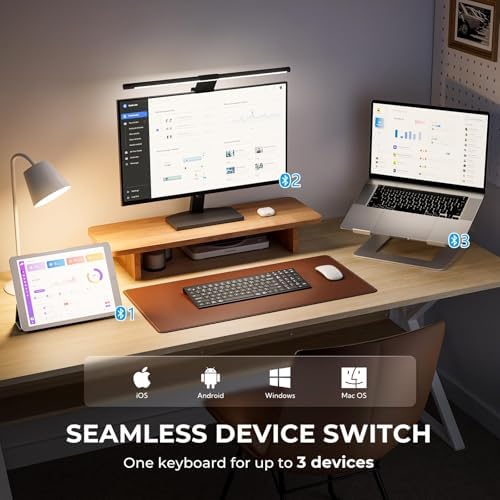
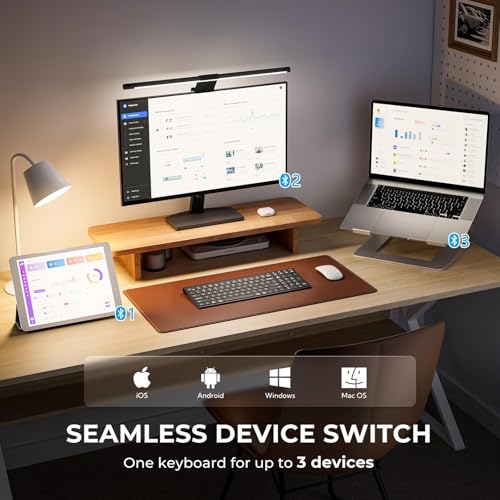
Multi-Device & Multi-OS Connectivity: Easily pair with up to 3 devices and switch seamlessly across Windows, MacOS, iOS, and Android at the press of a button. This Bluetooth keyboard automatically recognizes your system and maps keys correctly—perfect for laptops, tablets, phones, and iPads., Comfortable Smooth Typing: Featuring 0.59in standard full size keycaps and a low-profile scissor-switch keys, this slim wireless keyboard delivers smooth and quiet keystrokes.

The larger key improves typing accuracy compared to compact layouts, offering effortless control and reduced fatigue., Sleek Slim Design: Crafted from premium stainless steel and durable ABS, this Bluetooth wireless keyboard showcases a modern, ultra-slim profile. Measuring only 0.16 inches at its thinnest edge, it delivers a stylish, lightweight feel and clean minimalist lines that enhance any desk setup., USB-C Charging & Long-Lasting: Powered by an advanced Nordic chipset, this rechargeable Bluetooth keyboard delivers high power efficiency and up to 180 days of use on a single charge.

It automatically enters sleep mode after 2 hours of inactivity and wakes instantly with a simple keystroke to extend battery life., Compact & Efficient Layout: Designed with a full numeric keypad in a streamlined layout, this compact Bluetooth keyboard balances space-saving design with everyday functionality. Dedicated hotkeys—including Calculator, Fn Lock, Mute, and Volume controls—help you work faster and stay productive..

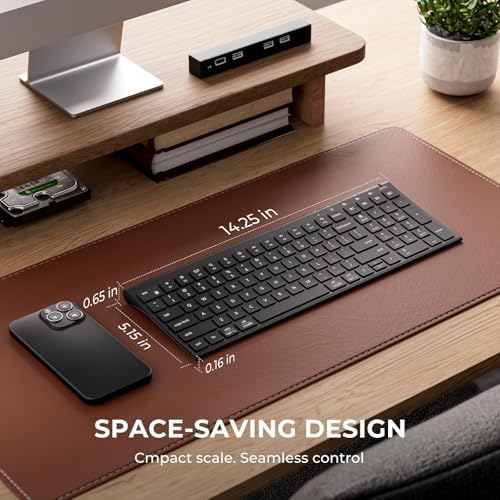
Built with Dimensions: 14.25 inches x 5.15 inches x 0.7 inches, Color: Black.

Key Points

What makes this product stand out

check_circleMulti-Device & Multi-OS Connectivity: Easily pair with up to 3 devices and switch seamlessly across Windows, MacOS, iOS, and Android at the press of a button. This Bluetooth keyboard automatically recognizes your system and maps keys correctly—perfect for laptops, tablets, phones, and iPads.
check_circleComfortable Smooth Typing: Featuring 0.59in standard full size keycaps and a low-profile scissor-switch keys, this slim wireless keyboard delivers smooth and quiet keystrokes. The larger key improves typing accuracy compared to compact layouts, offering effortless control and reduced fatigue.
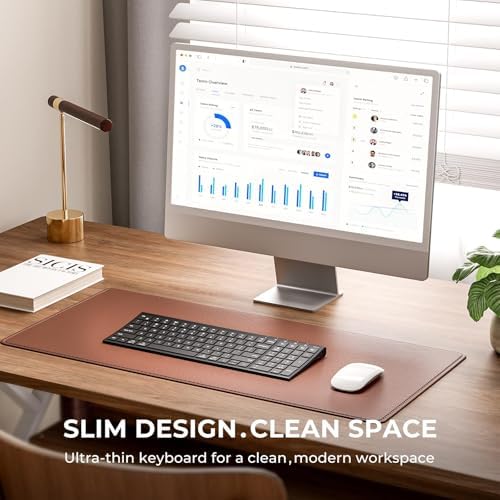
check_circleSleek Slim Design: Crafted from premium stainless steel and durable ABS, this Bluetooth wireless keyboard showcases a modern, ultra-slim profile. Measuring only 0.16 inches at its thinnest edge, it delivers a stylish, lightweight feel and clean minimalist lines that enhance any desk setup.
check_circleUSB-C Charging & Long-Lasting: Powered by an advanced Nordic chipset, this rechargeable Bluetooth keyboard delivers high power efficiency and up to 180 days of use on a single charge. It automatically enters sleep mode after 2 hours of inactivity and wakes instantly with a simple keystroke to extend battery life.
check_circleCompact & Efficient Layout: Designed with a full numeric keypad in a streamlined layout, this compact Bluetooth keyboard balances space-saving design with everyday functionality. Dedicated hotkeys—including Calculator, Fn Lock, Mute, and Volume controls—help you work faster and stay productive.

Main Specifications

Technical details and specifications

ColorBlack
BindingPersonal Computers
Warranty12-Months Warranty
Dimensions14.25 inches x 5.15 inches x 0.7 inches
Unit Count1
Product GroupPersonal Computer

Expert Analysis

7.5/10Solid Buy with Caveats

“The iClever BK10 SE offers impressive features for its price tier, boasting multi-device connectivity and a full numeric keypad, but significant user-reported reliability issues temper its value. With”

Pros

  • check_circleOffers multi-device pairing for up to three devices, allowing seamless switching across Windows, macOS, iPadOS, and Android, a feature highly praised by users.
  • check_circleFeatures a full numeric keypad and dedicated hotkeys, enhancing productivity for tasks requiring number entry or quick access to functions like Calculator and Volume.
  • check_circleBoasts a slim, lightweight design crafted from premium stainless steel and ABS, making it aesthetically pleasing and portable for various desk setups.
  • check_circleUtilizes USB-C for fast recharging and includes a smart power-saving mode, eliminating battery replacement hassle and extending usage between charges.

Cons

  • cancelMultiple users report significant reliability issues, including delayed typing (1-2 second lag), character repeats after short idle periods, and failure to wake up or reconnect.
  • cancelSome users have experienced specific key function failures (e.g., Alt key combinations) and complete unit failure, even after attempting troubleshooting steps like recharging and resets.
  • cancelPairing problems are noted, where the keyboard powers on but fails to appear on devices, suggesting potential Bluetooth module inconsistencies.

Frequently Asked Questions

How do I fix the iClever BK10 SE keyboard input lag or character repeats?expand_more
Unfortunately, many users report persistent issues with input lag and character repeats that are difficult to resolve. Troubleshooting steps often attempted include fully charging the keyboard, restarting your computer, updating Bluetooth drivers and operating system software, and performing a keyboard reset (Fn + Left Shift + Backspace). If these do not help, the issue may be a hardware or firmware limitation that cannot be fixed by user-level actions.
Is the iClever BK10 SE keyboard compatible with my specific operating system?expand_more
Yes, the iClever BK10 SE is designed for broad compatibility. It automatically recognizes and maps keys correctly for Windows, macOS, iPadOS, and Android devices. You can easily pair it with up to three devices and switch between them using dedicated buttons, making it versatile for various computing and tablet setups.
Why is my iClever BK10 SE keyboard not connecting or showing up on my device?expand_more
If your keyboard is not connecting, ensure it is adequately charged and that Bluetooth is enabled on your device. Try putting the keyboard into pairing mode again by holding down the Bluetooth channel button. If it still doesn't appear, attempt a keyboard reset (Fn + Left Shift + Backspace) and re-initiate the pairing process. Some users report this issue persists even after these steps.
Can the iClever BK10 SE keyboard be used while charging?expand_more
Yes, the iClever BK10 SE supports USB-C charging, and it can typically be used while it is connected to the charger. This allows for continuous use without worrying about battery life if you are at your desk. The rechargeable battery provides long-lasting use on a single charge when not plugged in.
What is the battery life of the iClever BK10 SE Bluetooth Keyboard?expand_more
The keyboard features a built-in 280mAh rechargeable battery. While specific hours are not detailed, users report 'long-lasting use on a single charge.' It also includes a smart power-saving mode that automatically enters sleep after 2 hours of inactivity, which helps to extend battery life significantly between charges.
How do I reset the iClever BK10 SE keyboard?expand_more
To reset the iClever BK10 SE keyboard, you typically need to press and hold a specific key combination. For this model, users have reported that holding down the 'Fn' key, the 'Left Shift' key, and the 'Backspace' key simultaneously for a few seconds can perform a factory reset. This is often a last resort for troubleshooting connectivity or performance issues.

Related Deals

Similar Products

Frequently Bought Together

mail

Never Miss a Deal

Get the best discounts and expert picks delivered to your inbox.

Join thousands of smart shoppers
iClever BK10 SE Bluetooth Keyboard for Mac, Slim Full-Size Keyboard, Black

$34.19$35.99
View Dealopen_in_new