Printers & Accessories

Epson Expression Home XP-2200 3-in-1 Ink Multifunction Printer, Scanner, Copier, WiFi, 1440dpi, A4

starstarstarstarstar
3.80
3537 Reviews
Share
-27% OFF
Epson Expression Home XP-2200 3-in-1 Ink Multifunction Printer, Scanner, Copier, WiFi, 1440dpi, A4 - 1
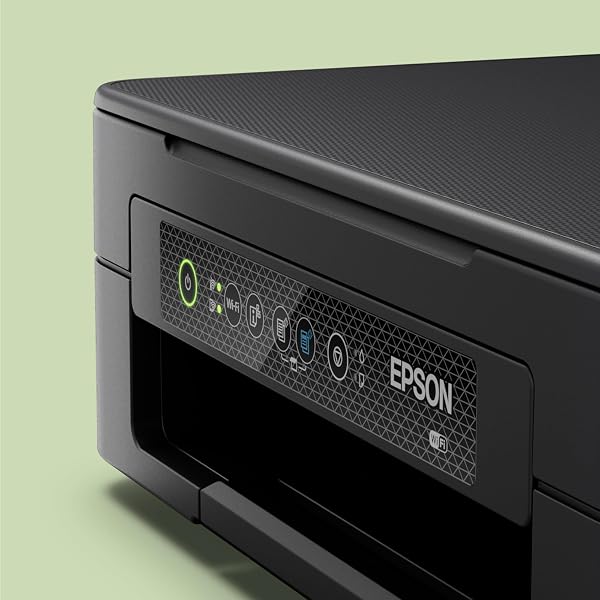
Epson Expression Home XP-2200 3-in-1 Ink Multifunction Printer, Scanner, Copier, WiFi, 1440dpi, A4 - 2
Epson Expression Home XP-2200 3-in-1 Ink Multifunction Printer, Scanner, Copier, WiFi, 1440dpi, A4 - 3
Epson Expression Home XP-2200 3-in-1 Ink Multifunction Printer, Scanner, Copier, WiFi, 1440dpi, A4 - 4
Epson Expression Home XP-2200 3-in-1 Ink Multifunction Printer, Scanner, Copier, WiFi, 1440dpi, A4 - 5
Best Entry Price
£33.32£45.82
star3.80Based on 3537 reviews
View Dealarrow_forward
timerDeal ends in--:--:--
lockSecure Checkout
local_shippingFast Delivery
undoFree Returns
Limited Time Offer
£33.32
star3.80Based on 3537 reviews
Check Price on Amazonshopping_cart
verifiedVerified Prices

As an Amazon Associate we earn from qualifying purchases.

Product Overview

Key features

SLEEK and STYLISH - This AFFORDABLE model efficiently uses your space combining print, scan and copying facilities in one printer., EASY to USE - with a range of essential and easy to use features, the XP-2200 is flexible with Wi-Fi for printing and scanning wirelessly around the home, and Wi-Fi Direct for printing without a wireless network., UNLEASH SMART DEVICES - Print, scan and more, directly from your phone or tablet using the Epson Smart Panel app, Plus, with the Epson Creative Print app, you can use your photos to create and print photo books, greeting cards, collages and more., AFFORDABLE SOLUTION - Epson’s four-colour Pineapple 604 ink set provides reliable, vibrant and clear prints with minimal outlay, with a combination of pigment black and dye colour inks it produces defined and colourful prints in addition to reducing your printing costs with AFFORDABLE, individual inks in standard and XL cartridges..

Key Points

What makes this product stand out

check_circleSLEEK and STYLISH - This AFFORDABLE model efficiently uses your space combining print, scan and copying facilities in one printer.
check_circleEASY to USE - with a range of essential and easy to use features, the XP-2200 is flexible with Wi-Fi for printing and scanning wirelessly around the home, and Wi-Fi Direct for printing without a wireless network.
check_circleUNLEASH SMART DEVICES - Print, scan and more, directly from your phone or tablet using the Epson Smart Panel app, Plus, with the Epson Creative Print app, you can use your photos to create and print photo books, greeting cards, collages and more.
check_circleAFFORDABLE SOLUTION - Epson’s four-colour Pineapple 604 ink set provides reliable, vibrant and clear prints with minimal outlay, with a combination of pigment black and dye colour inks it produces defined and colourful prints in addition to reducing your printing costs with AFFORDABLE, individual inks in standard and XL cartridges.

Expert Analysis

7/10Good Value

While the Epson Expression Home XP-2200 offers an affordable entry point, its value is debatable given potential setup frustrations and ink recognition issues. Our team found its compact design and de

Pros

  • check_circleIts compact and stylish design makes it suitable for homes with limited desk space.
  • check_circleProduces clear text and vibrant colours for everyday documents and basic graphics.
  • check_circleThe Epson Smart Panel app allows for convenient wireless printing and scanning from smartphones and tablets.

Cons

  • cancelSetup can be complicated and time-consuming, often requiring app-based configuration for Wi-Fi connectivity.
  • cancelUsers report frequent issues with ink cartridge recognition, both for non-genuine and sometimes even genuine cartridges after switching.
  • cancelThe absence of a physical screen means all settings and paper type selections must be managed via the Epson Smart Panel app.

Frequently Asked Questions

How do I set up my Epson Expression Home XP-2200 without a computer?expand_more
To set up your Epson Expression Home XP-2200 without a computer, you will need a smartphone or tablet. Download the Epson Smart Panel app from your device's app store. The app will guide you through connecting the printer to your Wi-Fi network and completing the initial setup, including ink installation and alignment checks, all managed directly from your mobile device.
Why is my Epson XP-2200 not recognising genuine Epson 604 ink cartridges?expand_more
If your Epson XP-2200 is not recognising genuine Epson 604 ink cartridges, ensure they are correctly installed and that the protective tape has been fully removed. Sometimes, after using non-genuine cartridges, the printer's firmware may become stricter. Try restarting the printer and your device, and if the issue persists, consult the Epson support website or contact their customer service for specific troubleshooting steps related to ink recognition errors.
Can I use compatible ink cartridges with the Epson Expression Home XP-2200?expand_more
While compatible ink cartridges are often available for the Epson Expression Home XP-2200, their use comes with risks. Users report that the printer may not recognise non-genuine cartridges, or that genuine cartridges might fail to register after non-genuine ones have been used. This can lead to error messages and prevent printing. If you choose compatible inks, opt for reputable brands and be aware that they may void your warranty or cause operational issues.
Does the Epson Expression Home XP-2200 have a scanner?expand_more
Yes, the Epson Expression Home XP-2200 is a 3-in-1 multifunction printer, meaning it includes print, scan, and copy capabilities. You can use the included Epson Smart Panel app on your smartphone or tablet to scan documents and photos wirelessly, which can then be sent to your device, saved, or printed.
What is the print quality like on the Epson Expression Home XP-2200 for photos?expand_more
For everyday documents and basic colour prints, the Epson Expression Home XP-2200 produces clear text and vibrant colours. However, when printing photos, particularly on specialised media like vinyl, users have noted that colours can appear faded and blacks may not be deep enough. It is best suited for casual photo prints rather than professional-quality photographic output.
How do I connect my phone to the Epson XP-2200 for wireless printing?expand_more
To connect your phone to the Epson XP-2200 for wireless printing, download the Epson Smart Panel app. Ensure your printer is connected to your home Wi-Fi network. Open the app, and it should detect your printer. You can then print photos or documents directly from your phone's storage or cloud services through the app interface.
Is the Epson XP-2200 difficult to set up?expand_more
The setup process for the Epson XP-2200 can be challenging for some users. It relies heavily on app-based configuration via Wi-Fi, which can be time-consuming and may require troubleshooting. Unlike older models, it lacks a physical screen for direct guidance, meaning all setup steps are managed through the Epson Smart Panel app on a smartphone or tablet.

Related Deals

Similar Products

Frequently Bought Together

mail

Never Miss a Deal

Get the best discounts and expert picks delivered to your inbox.

Join thousands of smart shoppers

Epson Expression Home XP-2200 3-in-1 Ink Multifunction Printer, Scanner, Copier, WiFi, 1440dpi, A4

£33.32£45.82
View Dealopen_in_new