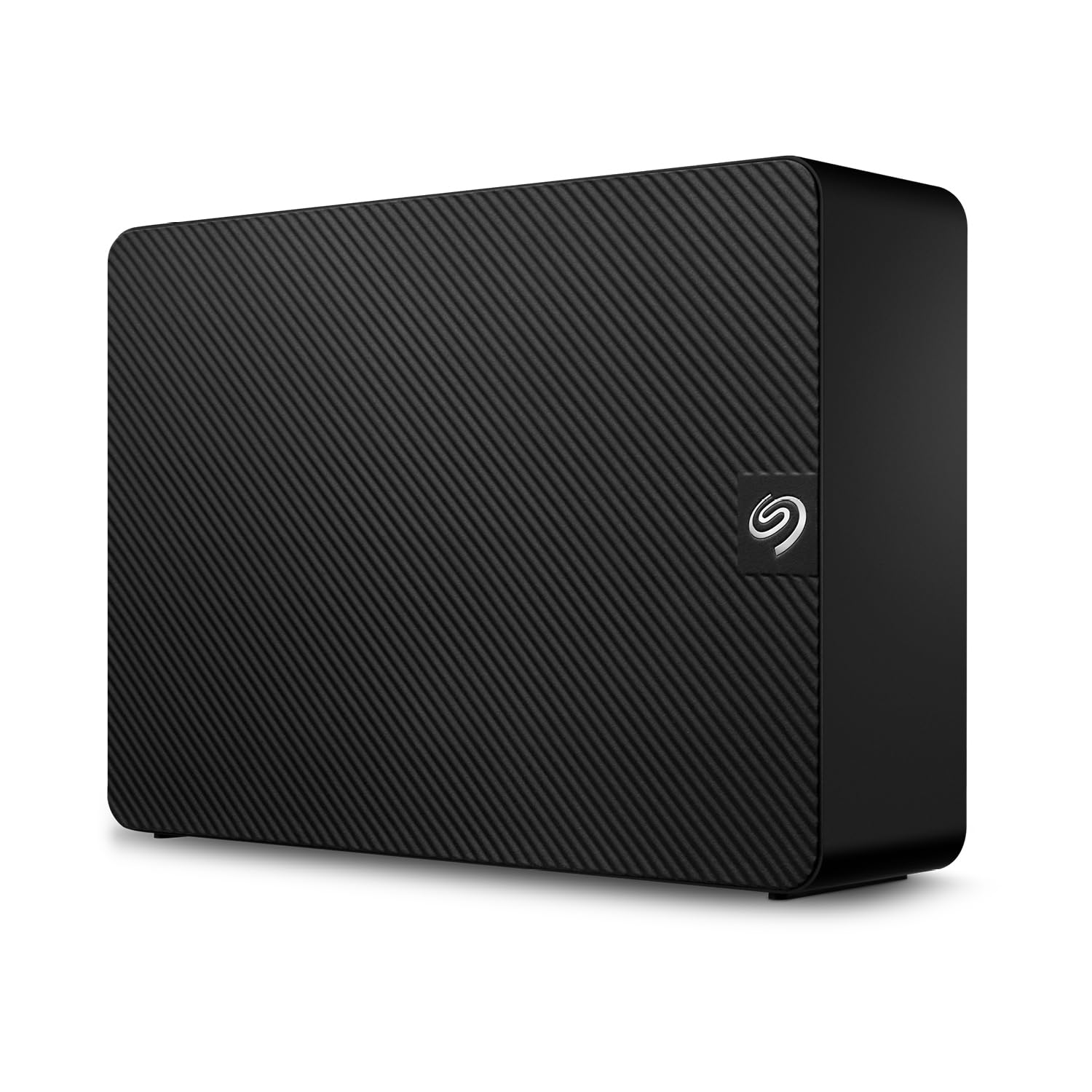
It is not explicitly known whether the Seagate Expansion Desktop 6TB uses SMR or CMR technology.
- The listing does not state whether the drive is SMR or CMR.
- A user question asks about the SMR or CMR type of the installed hard disk.
Shoppers prioritising specific drive technology for performance or compatibility may need to look elsewhere or await further clarification, as this detail is not published by the listing or user reports.

Who it suits
Works well if
- General storage and backups for users who do not require specific SMR/CMR drive technology information
- Users who prioritise ease of setup and plug-and-play functionality
Think twice if
- Users needing to know the specific SMR or CMR type of the hard drive for performance-critical applications
- Those seeking verified user experiences and detailed performance benchmarks for this specific model
The numbers that matter
- Marketplace rating of 4.3 out of 5
- 18,049 ratings available on the marketplace
- Features USB 3.0 for fast file transfers
What the evidence says
| Item | Value |
|---|---|
| Marketplace Rating | 4.3 / 5 |
| Number of Ratings | 18,049 |
| Transfer Speed | Fast file transfers |
| Mac Compatibility | Requires reformatting |
| Power Switch | Lacks power switch |
| Read Speed (slow) | 40 MB/s |
| Write Speed (slow) | 20 MB/s |
The specific drive technology (SMR or CMR) is not published.
Where buyers hesitate
Is it known what type of hard disk is installed in it? SMR or CMR?
The specific drive technology (SMR or CMR) is not stated in the listing or user reports. This detail is not provided by the listing or any user-contributed evidence. Shoppers who require this specific information for compatibility or performance reasons may find this a significant gap.
How fast are the file transfers?
The listing states fast file transfers via USB 3.0, but users report slower speeds with large files. While the listing highlights USB 3.0 for fast transfers, some community reports suggest actual speeds can be less impressive, particularly with larger files. This could impact workflows involving large data sets.
Is this hard drive compatible with Mac?
It is compatible with Mac, but requires reformatting. The drive is recognised by Mac computers but requires reformatting for full functionality, which may be an inconvenience for some users. One report explicitly notes limited compatibility without this step.
What is the reliability of this drive?
Reliability is suggested by a high marketplace rating. The drive has a high average marketplace rating of 4.3/5 across over 18,049 reviews, suggesting general satisfaction. However, specific buyer reviews for this model are not available in our database, and category data highlights potential failure sounds like clicking or grinding.
Why we judge it this way
The Seagate Expansion Desktop 6TB is presented as a straightforward external hard drive solution, promising easy setup and ample storage. It boasts a strong overall marketplace rating of 4.3 out of 5 across more than 18,000 reviews, suggesting general customer satisfaction. However, a critical technical detail – whether it uses SMR (Shingled Magnetic Recording) or CMR (Conventional Magnetic Recording) technology – remains unstated in the listing and is not clarified by available community feedback. This lack of information is a significant point for users who depend on specific drive types for performance or reliability.
The question of SMR versus CMR is important because these technologies affect drive performance, particularly write speeds and sustained throughput, with CMR generally being preferred for higher-demand tasks. The absence of this specification means potential buyers cannot ascertain if the drive aligns with their specific needs without further investigation. This information gap is a recurring theme, with a direct question from a user in the community data highlighting the concern. Without this detail, the drive's suitability for demanding workloads is uncertain.
Beyond the core drive technology, community reports offer a mixed picture of performance. The listing touts 'Fast file transfers with USB 3.0', a standard expectation for this interface. However, community feedback indicates that actual transfer speeds can be 'less impressive, especially when dealing with large files'. Specific slow speeds recorded are 40 MB/s read and 20 MB/s write, which, while not definitively slow for all USB 3.0 external drives, may fall short for users expecting optimal performance for large data sets or frequent large file transfers.
Compatibility with different operating systems is another area where user experience diverges slightly from the listing's claims. The product description suggests 'Automatic recognition of Windows and Mac computers for simple setup'. Yet, community evidence explicitly states that the drive 'has limited compatibility with Mac, requiring reformatting to work properly'. This means Mac users will need to undertake an extra step before the drive functions as intended, which could be a minor hassle. Additionally, the lack of a power switch, requiring the drive to be unplugged to power down, is noted as a practical inconvenience.
While these specific points are about the Seagate drive, it's also worth noting general category risks for external hard drives. Community evidence from the 'Data Storage' category mentions potential failure sounds like 'The Click of Death' (a continuous clicking, ticking, or sweeping sound) and grinding noises, which are indicators of HDD failure. While not directly reported for this Seagate model, these are recognised failure modes for the product type, underscoring the importance of backups and considering the included Rescue Data Recovery Services.
In summary, the Seagate Expansion Desktop 6TB presents itself as a user-friendly, high-capacity storage device with a generally well-regarded marketplace average rating. It offers essential features like USB 3.0 and data recovery services. However, the crucial omission of its SMR/CMR drive type, coupled with community reports of slower-than-expected speeds for large files and the need for Mac reformatting, means it is best suited for general storage and backup needs where precise technical specifications and top-tier performance are not paramount. For users requiring detailed technical assurance or consistent high speeds, further investigation or alternative options may be warranted.
The strongest objection we found
Is it known what type of hard disk is installed in it? SMR or CMR?
Frequently Asked Questions
What this page does not answer
- How does the Seagate Expansion Desktop 6TB compare to the WD My Passport 6TB?
- What are the best external hard drives for Mac users?
- WD My Passport, Works with USB-C (6TB) wins on portability and encryption
- other products in Data Storage
How this analysis was built
This analysis was conducted by reviewing the product listing details, community forum discussions, and general category information for external hard drives. Buyer reviews for this specific product were unavailable, limiting the depth of user experience data. The marketplace rating and count were considered alongside specific user-reported issues and technical questions.
Statements regarding potential failure sounds and general external drive characteristics are drawn from category-level evidence and do not pertain to this specific product's reported failures.
Sources and verification
Everything on this page traces back to the listing published for this product on Amazon.co.uk. At the analysis date that listing showed 4.3 stars across 18,049 reviews. The write-up works from 8 verified data points, drawn from listings of comparable products in this category. Analysis generated on 2026-10-29.